


Usable Apps

Oracle Business Solution Lead Summit: Win, Win, Win With OAUX
The Oracle Business Solution Lead (BSL) Summit was held at the Oracle Thames Valley Park, UK offices on February 6–9, 2017.
Oracle Applications User Experience (OAUX) Group Vice President Jeremy Ashley (@jrwashley) and OAUX HCM Senior Director Aylin Uysal (@aylinuysal) delivered a UX Futurist Keynote presentation, including a strategic overview of the Oracle Applications Cloud UX approach, the visual evolution for SaaS UX, wearables, conversational computing interaction, and insights into how machine learning will move things faster towards that vision of a more human way of working.
The event brought together application solution consultants from across EMEA and APAC who lead our large-scale, strategic, multi-pillar opportunities; all keen to hear about and leverage the OAUX message and share their know-how for winning more, bigger, and faster big-bet deals. Attendees learned about impactful approaches and skills to engage opportunities, how those big-bet deals and adoption can be accelerated, and participated in fun, interactive activities along the way.

Jeremy Ashley and Aylin Uysal deliver the OAUX message
Jeremy and Aylin were supported onsite at TVP by Ana Tomescu (@annatomescu), OAUX Cloud UX PM based in Bucharest.
Changes Are Coming to the Usable Apps Blog
The Usable Apps blog will be transitioning to a new Oracle blogging platform and URL soon. This location will remain.
Stay tuned.
Ultan (@ultan)
Dalmatian Bandits, PaaS4SaaS, and Chatbot UX at PaaS Forum 2017
Just back from an awesome PaaS Forum 2017 in Split, Croatia. Another superb community event organized by Oracle's Jürgen Kress (@soacommunity) and team; featuring the usual superb planning, marketing, and execution. It was Platform as a Service (PaaS) heaven on the Dalmatian coast.


PaaSForum: Always well presented and marketed. And then it delivers.
There was great interest and energy generated from no less than three chatbot-related sessions, including a super one from partner Capgemini's Leon Smiers (@leonsmiers) on day one (a community award winner later!). Oracle wrapped up the second day's proceedings with a superb presentation and live demo of Oracle's chatbot enablement for cloud developers by Frank Nimphius (@fnimphiu).

Frank Nimphius steals the show with his chatbot session: Frank is always frank about what developers can do!
Showcase Show-off!
The event featured a packed PaaS and Oracle Cloud service integration agenda with an emphasis on the "hands-on" and learning. So, I was thrilled to drive the UX contribution by bringing along the latest Oracle Applications User Experience (OAUX) greatness for cloud enterprise developers with a UX showcase. I showed off what we are doing with wearable tech and conversational UI for SaaS, how our UI is evolving, and our free Rapid Development Kit (RDK) partner enablement for a mobility-first world, all built using Oracle Cloud technology.

We build in the UX to our partner enablement and use Oracle technology to build solutions! Ultan O'Broin (@ultan) Explaining our RDKs.
It was great to catch up with old friends, and meet new people from the partner ecosystem across EMEA and APAC. Check out all that was on offer (including the bootcamps offered later in the week) and the lively commentary and 'interesting' images shared on Twitter with the #PaaSForum hashtag.

Bandit the Cloud Expert. The real star of PaaS Forum 2017. Woof!
Rapid Development Kits
I also showed off our Rapid Development Kit enablement, beginning with a live mobile development and UX demo, sharing how to make a decision on tools, how to be part of a partner success story, and concluding with a great supporting comment from Certus Cloud's Debra Lilley (@debralilley).

Making a decision about the right tool for the right job.
I was also pleased to hear how some SaaS partners are using the RDK to solve that innovation quandary of what should they should build and when; particularly how they can innovate quickly and show interested customers SaaS and PaaS possibilities without using up scare development resources allocated to other projects.

A partner success story from APAC. Quotes from our RDK PaaS4SaaS enablement event with DXC Technology in Australia. Read more about the event.
In all, this was a super event, priceless in terms of partner networking and platform for exploring UX needs and wants from the enterprise developer ecosystem, for learning new skills, and for coming up to date fast on what Oracle is offering the PaaS community.
See you next year! Hey, you might even win one of the community awards, just like our friends in eProseed!
More from Split?
- See Jürgen's PaaS and Middleware Partner Community Update for April 2017 on YouTube.
- Come up to speed fast on the OAUX Rapid Development Kits.
- Prepare for PaaS with great resources, including how to get demo access.
- Check the PaaS Community blog for more links and collateral.
- Demo Store (access required)
UX Can Make A Deal; Not Save One. APAC OAUX Strategy Update 2017
We have been on the road with the Oracle Applications User Experience (OAUX) strategy and resources for Oracle PartnerNetwork members again! In early March 2017, we were in Bengaluru (formerly Bangalore), India to tell our partners about the latest in the OAUX strategy, design and enablement roadmap.

With the regional Oracle Worldwide Alliances and Channels partner apps team
The OAUX team, led by Group Vice President, Jeremy Ashley (@jrwashley), provided insight into our UX strategy: the vision behind it, about enterprise mobility, our design philosophy, how Oracle's SaaS UX is evolving, on extensibility, about what emerging tech offers for the enterprise and how to use the our enablement to win more deals and how to go about using our Rapid Development Kits to build great mobile cloud user experiences for SaaS using PaaS (or PaaS4SaaS, if you like).

How the Oracle Applications User Experience vision develops.
Selling SaaS with User Experience Sizzle
At the Selling with UX session I outlined why SaaS UX participation was important not just to end users of SaaS, but to decision-makers. I showed some of the enterprise benefits of our great UX (we've thoughtfully designed for cross-generational use, for example) and why it's a competitive must-have and partner differentiator. I also emphasised that UX needs to be part of the entire sales approach from the outset. User Experience can make a deal, but it won't save one for you! This session also included best practices for partners demoing the SaaS UX to customers.

Our SaaS UX is designed for the millennial and perennial alike!
Stay tuned for an external recording of this event on the usual channels.
Rapid Design and Development Toolkits in the Cloud
Our Rapid Development Kits enable partners to productively design and built SaaS and PaaS solutions using our innovation accelerator kits (the RDKs assembled from Oracle technology and design insight). I provided some orientation into how to go about making a decision about which tool is best; the process used; and where to get our design and build RDK resources.
Check out this recorded webinar about our Oracle ADF RDK on our Cloud Customer Connect (account required) for a typical example.

Our mobile-first Rapid Development Kit included a live demo of the kit's components and what you can do with the mobile app UX you can design and build with it.
Many thanks to the Oracle Worldwide Alliances and Channels team for working with OAUX and our partners to make this a great event!
More Bengaluru?
- Check out the coverage on the OAUXCloud Facebook page.
- The event will be covered in more details later on the usual OAUX channels.
Great Conversations at the PaaS Partner Community Forum #OAUX #PaaSForum
Gift of the Gab* Hits Croatia
Chatbots and conversational UIs are HOT. So I am excited to share that Oracle Applications User Experience will be at the PaaS Partner Community Forum 2017 in Split, Croatia in March and showing off some chatbot and conversational UI PaaS4SaaS goodness as part of our user experience sizzle showcase.

See how chatbots can provide a great user experience for SaaS users with our PaaS4SaaS guidance.
Accelerate into the Oracle Cloud
We'll also be showing off our latest UI accelerator kits (the Rapid Development Kits to you) that partners can use to design and deliver mobile cloud solutions using Oracle ADF, Oracle MAF, or Oracle JET. See you there for a chat about that, too!
We'd also love to talk to any partners and developers about typical conversational UI use cases, what they need to design great solutions, or indeed how we can enable the Oracle Partner ecosystem (that means startups too!) to easily design and build cloud solutions using PaaS4SaaS with a rocking UX that will win business.
Make a Date with OAUX
Check out the session times on the agenda (or swing by our demo station any time):
The “Millennials Literally Prefer To...” User Experience Showcase (Monday, 27-MAR-2017)
Did you know that millennials would rather bank their money with a digital brand rather than a traditional financial institution? That chatbot messaging apps usage has overtaken social networks? That users demand a visual evolution of their user experience (UX) but yet UX doesn’t actually even need a visual UI? Come along to the Oracle Applications User Experience (OAUX) showcase and see how you can align with today’s user needs using Oracle technology and OAUX enablement for Oracle Partners. Millennials/Perennials welcome.
Right Tools for the Right Job: PaaS4SaaS User Experience Rapid Development Kits (Wednesday, 29-MAR-2017)
See how using the free UI accelerator kits from the Oracle Applications User Experience team enables you to design, build, and deploy winning mobile solutions in the Oracle Cloud using Oracle ADF and Oracle MAF. Hear how our Rapid Development Kits (RDKs) based on Oracle technology and OAUX Design Patterns have enabled Oracle SaaS and PaaS Partners to win business, and what's coming with Oracle JET and more.
* Oh, gift of the gab?
Definition: The ability to speak easily and confidently in a way that makes people want to listen to you and believe you.
As in: "She's got the gift of the gab - she should work in sales and marketing." (Source: Cambridge Dictionary)
An Irish specialty.
More Information
PaaS Community Forum Agenda Registration
Oracle Applications User Experience Rapid Development Kits
Using the Oracle Applications Cloud UX ADF Rapid Development Kit to Design Smartly and Build Simply
We did it! We hosted our very first Oracle Applications Cloud Workshop: Building Simplified UIs with PaaS4SaaS in Sydney, Australia.
The Oracle Applications User Experience (OAUX) team, with the help of our onsite Oracle Australia team, hosted Oracle Platinum Partner UXC Red Rock (@UXCRedRock) at the Oracle Australia Sydney offices for two days of an intensive design and build workshop. And the UXC Red Rock team hosted us on the third day of the workshop in their Sydney offices.
0 0 1 70 403 Oracle America, Inc. 3 1 472 14.0 Normal 0 false false false EN-US JA X-NONE /* Style Definitions */ table.MsoNormalTable {mso-style-name:"Table Normal"; mso-tstyle-rowband-size:0; mso-tstyle-colband-size:0; mso-style-noshow:yes; mso-style-priority:99; mso-style-parent:""; mso-padding-alt:0in 5.4pt 0in 5.4pt; mso-para-margin:0in; mso-para-margin-bottom:.0001pt; mso-pagination:widow-orphan; font-size:12.0pt; font-family:Cambria; mso-ascii-font-family:Cambria; mso-ascii-theme-font:minor-latin; mso-hansi-font-family:Cambria; mso-hansi-theme-font:minor-latin;} Our Combined Goal
Using a real-world UXC Red Rock use case, the OAUX team goal was to guide the UXC Red Rock team of seven through our proven design and build practices using our Oracle Application Development Framework (ADF)-based Oracle Applications Cloud User Experience (UX) Rapid Development Kit (RDK). OAUX worked hands-on with the UXC Red Rock team to help them build an app with a SaaS and PaaS entry experience to Oracle ERP, integrated with Oracle Sales Cloud.

0 0 1 26 150 Oracle America, Inc. 1 1 175 14.0 Normal 0 false false false EN-US JA X-NONE /* Style Definitions */ table.MsoNormalTable {mso-style-name:"Table Normal"; mso-tstyle-rowband-size:0; mso-tstyle-colband-size:0; mso-style-noshow:yes; mso-style-priority:99; mso-style-parent:""; mso-padding-alt:0in 5.4pt 0in 5.4pt; mso-para-margin:0in; mso-para-margin-bottom:.0001pt; mso-pagination:widow-orphan; font-size:12.0pt; font-family:Cambria; mso-ascii-font-family:Cambria; mso-ascii-theme-font:minor-latin; mso-hansi-font-family:Cambria; mso-hansi-theme-font:minor-latin;}
0 0 1 26 149 Oracle America, Inc. 1 1 174 14.0 Normal 0 false false false EN-US JA X-NONE /* Style Definitions */ table.MsoNormalTable {mso-style-name:"Table Normal"; mso-tstyle-rowband-size:0; mso-tstyle-colband-size:0; mso-style-noshow:yes; mso-style-priority:99; mso-style-parent:""; mso-padding-alt:0in 5.4pt 0in 5.4pt; mso-para-margin:0in; mso-para-margin-bottom:.0001pt; mso-pagination:widow-orphan; font-size:12.0pt; font-family:Cambria; mso-ascii-font-family:Cambria; mso-ascii-theme-font:minor-latin; mso-hansi-font-family:Cambria; mso-hansi-theme-font:minor-latin;} Out of the Oracle Applications Cloud UX ADF RDK: Wireframe template overlaying the sample app (photo: Karen Scipi @KarenScipi)
Our Path to Success
At the start of the workshop, OAUX Senior Director Ultan O’Broin (@ultan) shared insights into the OAUX design strategy, practices, and the Oracle Applications Cloud UX ADF RDK.

0 0 1 8 52 Oracle America, Inc. 1 1 59 14.0 Normal 0 false false false EN-US JA X-NONE /* Style Definitions */ table.MsoNormalTable {mso-style-name:"Table Normal"; mso-tstyle-rowband-size:0; mso-tstyle-colband-size:0; mso-style-noshow:yes; mso-style-priority:99; mso-style-parent:""; mso-padding-alt:0in 5.4pt 0in 5.4pt; mso-para-margin:0in; mso-para-margin-bottom:.0001pt; mso-pagination:widow-orphan; font-size:12.0pt; font-family:Cambria; mso-ascii-font-family:Cambria; mso-ascii-theme-font:minor-latin; mso-hansi-font-family:Cambria; mso-hansi-theme-font:minor-latin;} Ultan O’Broin shows off his trump card (photo: Karen Scipi)
Then the team of seven UXC Red Rock participants split up into two groups based on their roles: functional and technical.

0 0 1 15 87 Oracle America, Inc. 1 1 101 14.0 Normal 0 false false false EN-US JA X-NONE /* Style Definitions */ table.MsoNormalTable {mso-style-name:"Table Normal"; mso-tstyle-rowband-size:0; mso-tstyle-colband-size:0; mso-style-noshow:yes; mso-style-priority:99; mso-style-parent:""; mso-padding-alt:0in 5.4pt 0in 5.4pt; mso-para-margin:0in; mso-para-margin-bottom:.0001pt; mso-pagination:widow-orphan; font-size:12.0pt; font-family:Cambria; mso-ascii-font-family:Cambria; mso-ascii-theme-font:minor-latin; mso-hansi-font-family:Cambria; mso-hansi-theme-font:minor-latin;}
A meeting of functional and technical minds: Discussing attributes requirements (photo: Karen Scipi)
Three Steps to Proven Success
So how did we move from use case to app in three days with two groups of participants? Easily. In three proven, repeatable, simple steps.
1. Choose a use case.
Before the start of the workshop, the OAUX team worked with the UXC Red Rock team to refine and solidify the use case we’d help them design and build during the workshop.

The functional group would spend their time focused on the design aspect of their their use case, while the technical group would spend their time focused on the build aspect of their use case.
0 0 1 103 590 Oracle America, Inc. 4 1 692 14.0 Normal 0 false false false EN-US JA X-NONE -"/> /* Style Definitions */ table.MsoNormalTable {mso-style-name:"Table Normal"; mso-tstyle-rowband-size:0; mso-tstyle-colband-size:0; mso-style-noshow:yes; mso-style-priority:99; mso-style-parent:""; mso-padding-alt:0in 5.4pt 0in 5.4pt; mso-para-margin:0in; mso-para-margin-bottom:.0001pt; mso-pagination:widow-orphan; font-size:12.0pt; font-family:Cambria; mso-ascii-font-family:Cambria; mso-ascii-theme-font:minor-latin; mso-hansi-font-family:Cambria; mso-hansi-theme-font:minor-latin;} 2. Wireframe the design using the Microsoft PowerPoint template and design patterns.
With the guidance of OAUX Principal UX Engineer Julian Orr (@Orr_UX) and OAUX Director Scott Robinson (@scottrobinson), the functional group focused their energies on defining the list of functional requirements, and then using the wireframe template in the Oracle Applications Cloud UX ADF RDK and the Oracle Applications Simplified User Experience Design Patterns to lay out, iterate, and validate their individual page designs and workflows.

0 0 1 19 109 Oracle America, Inc. 1 1 127 14.0 Normal 0 false false false EN-US JA X-NONE /* Style Definitions */ table.MsoNormalTable {mso-style-name:"Table Normal"; mso-tstyle-rowband-size:0; mso-tstyle-colband-size:0; mso-style-noshow:yes; mso-style-priority:99; mso-style-parent:""; mso-padding-alt:0in 5.4pt 0in 5.4pt; mso-para-margin:0in; mso-para-margin-bottom:.0001pt; mso-pagination:widow-orphan; font-size:12.0pt; font-family:Cambria; mso-ascii-font-family:Cambria; mso-ascii-theme-font:minor-latin; mso-hansi-font-family:Cambria; mso-hansi-theme-font:minor-latin;} Resources in the Oracle Applications Cloud UX ADF RDK: Design patterns eBook, coded sample, technical eBook, wireframe template
0 0 1 53 305 Oracle America, Inc. 2 1 357 14.0 Normal 0 false false false EN-US JA X-NONE -"/> /* Style Definitions */ table.MsoNormalTable {mso-style-name:"Table Normal"; mso-tstyle-rowband-size:0; mso-tstyle-colband-size:0; mso-style-noshow:yes; mso-style-priority:99; mso-style-parent:""; mso-padding-alt:0in 5.4pt 0in 5.4pt; mso-para-margin:0in; mso-para-margin-bottom:.0001pt; mso-pagination:widow-orphan; font-size:12.0pt; font-family:Cambria; mso-ascii-font-family:Cambria; mso-ascii-theme-font:minor-latin; mso-hansi-font-family:Cambria; mso-hansi-theme-font:minor-latin;}


3. Build the app.
With the guidance of OAUX Senior User Experience Architect Lancy Silveira (@LancyS), the technical group took advantage of the reusable code in the Oracle Applications Cloud UX ADF RDK to build page shells and then build actual pages and workflows based on the functional group's wireframe designs.

At the end of the workshop, the UXC Red Rock team walked away with a set of reusable page and workflow designs and an early build that they'll be able to iterate and refine according to their design requirements. Plus, they now have first-hand knowledge and experience with how quick and easy it is to bring an app to life using the Oracle Applications Cloud UX ADF RDK to help them design smartly and build simply.
And we call that success! Congratulations to the UXC Red Rock team on their extraordinary work.
While we can’t share the app that the UXC Red Rock team designed and built during our workshop, we can share their thoughts on their experience with us:
0 0 1 107 610 Oracle America, Inc. 5 1 716 14.0 Normal 0 false false false EN-US JA X-NONE /* Style Definitions */ table.MsoNormalTable {mso-style-name:"Table Normal"; mso-tstyle-rowband-size:0; mso-tstyle-colband-size:0; mso-style-noshow:yes; mso-style-priority:99; mso-style-parent:""; mso-padding-alt:0in 5.4pt 0in 5.4pt; mso-para-margin:0in; mso-para-margin-bottom:.0001pt; mso-pagination:widow-orphan; font-size:12.0pt; font-family:Cambria; mso-ascii-font-family:Cambria; mso-ascii-theme-font:minor-latin; mso-hansi-font-family:Cambria; mso-hansi-theme-font:minor-latin;}
- On our OAUX streamlined, no-death-by-PowerPoint teaching approach: “Some of the guys who went said they learnt more in the 3 days than they would have in 20 days of the previous styles of training.”
- On the practice of using the Oracle Applications UX ADF RDK to drive the design and development work: “It’s really imprinted on me, getting everyone in a room to iterate rather than send one person off for one week. On the technical, there’s more to explore/learn.” (John Lavery, UXC Red Rock Solution Director – Digital Platforms)
- On the overall user experience of the event:
- "It was pretty much like we were conducting a real project in a compressed timeframe. We had to work through all the issues, discuss strategy, debate designs, etc., so it really got people thinking and learning in a simulated real world environment.”
- “It’s given us confidence. After two days, our confidence has gone from 10% up to 80%. We know what’s possible, what we can do, and what it takes.” (John Lavery, UXC Red Rock Solution Director – Digital Platforms)
0 0 1 69 397 Oracle America, Inc. 3 1 465 14.0 Normal 0 false false false EN-US JA X-NONE /* Style Definitions */ table.MsoNormalTable {mso-style-name:"Table Normal"; mso-tstyle-rowband-size:0; mso-tstyle-colband-size:0; mso-style-noshow:yes; mso-style-priority:99; mso-style-parent:""; mso-padding-alt:0in 5.4pt 0in 5.4pt; mso-para-margin:0in; mso-para-margin-bottom:.0001pt; mso-pagination:widow-orphan; font-size:12.0pt; font-family:Cambria; mso-ascii-font-family:Cambria; mso-ascii-theme-font:minor-latin; mso-hansi-font-family:Cambria; mso-hansi-theme-font:minor-latin;}
Interested in Partner Enablement?
We’d be delighted to hear from you! Learn more about OAUX's partner enablement requirements. Then start a conversation with us through our usual channels or in the Comments section below.
- Watch a 15-minute Oracle Applications Cloud UX Rapid Development kit webinar
- Read a brief overview of the Oracle Applications Cloud UX Rapid Development Kit
- Learn about all of our Oracle Applications Cloud UX Rapid Development Kits (mobile included!)
Dublin Tech Summit 2017: Running into the Oracle Experience
I've just been to the first Dublin Tech Summit (@DubTechSummit) where I was wowed by the awesome depth and breadth of the event, learned some new things, renewed old acquaintances, and forged new business relationships too!
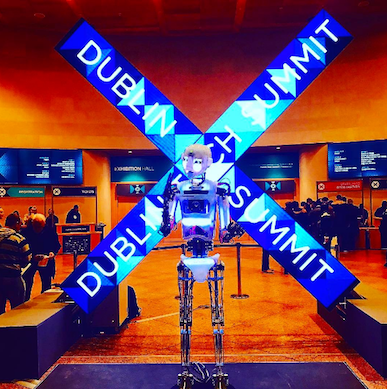
Robo Thespian from Engineered Arts: "We Can't Unbite the Apple"
Dublin Tech Summit (DTS) offered a powerful schedule covering topics from Fashion and Healthcare to IoT and FinTech and a geansaí load more for an audience that ranged from storytellers to investors to coders, combined with workshops and a platform for startups and spearheaded by a top notch speaker line up. A powerful promotional campaign by the DTS organizers resulted in the Convention Centre Dublin (@TheCCD) packed with attendees from around the world, all greeted by the ever-engaging Robo Thespian in the CCD lobby.
FinTech, IoT, and More...
I was particularly impressed with the sessions on FinTech and IoT, the focus on happening technologies such as AI, VR and chatbots, and how millennials live and work in the digital age. Millennials, for example, would prefer to bank with a digital tech brand such as Amazon or Google than a more 'traditional' financial institution.
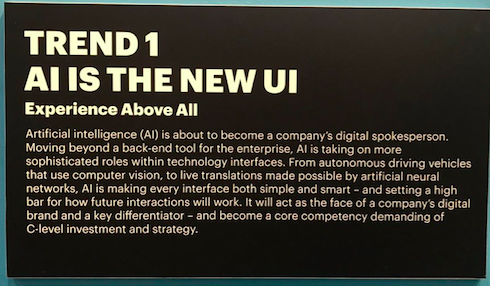
Accenture, Samsung, and others brought cutting edge AI, VR, and other happening tech to the event.
Oracle had a strong DTS presence in the exhibition area as well as great sessions on the Internet of Things (IoT) and business transformation, covering such fascinating uses for the linking of devices and cloud data such as parking management and factory monitoring in the U.S., e-scooters in Japan, and data analytics for performance sailing in the America’s Cup, FinTech, and more.
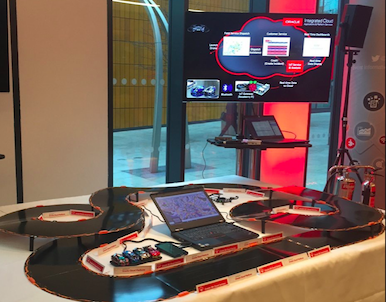
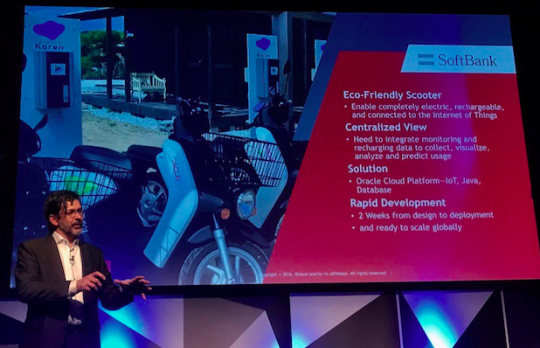
Oracle had a strong floor presence for SaaS, IoT and Cloud Services, a fun Anki OVERDRIVE demo, and super IoT sessions by Oracle IoT strategist Joost Volker (@joostvolker) who also joined with other industry players to share insights into BigData, IoT, and digital transformation.
That Conversation About UI
An engaging session from Comtrade Digital on chatbots, or conversational computing, offered me insights into how chatbots have brought the Turing Test to life in real business as mobile messaging chat apps surpass social networks usage. Chatbots offer a personal, fun, and free yet deeply contextual mobile user experience for the millennial generation but also delivers a text-based conversational engagement that resonates with us 'perennials' too.
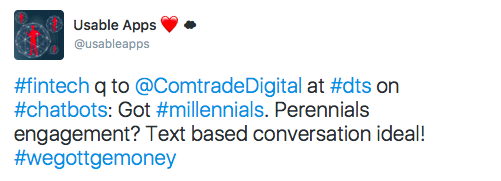
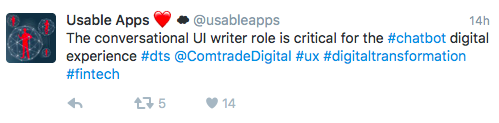
There was a super-engaging FinTech session on chatbot conversational computing from Comtrade Digital titled "When millennials literally can't even ..."
Would I Go Again? Yep!
In all, this was one super event that did the Dublin tech ecosystem proud and it was great to see Oracle there in force with some great thought leadership on show. DTS was a great platform for demonstrating your goodness sure, but also a place for hands-on doing and learning, relationship building, and opening your mind to innovative possibilities. That DTS did my hometown of Dublin proud made it all a sweeter experience!
Dublin Tech Summit: Where you'll 'run into' all sorts of digitally-savvy people doing great things.
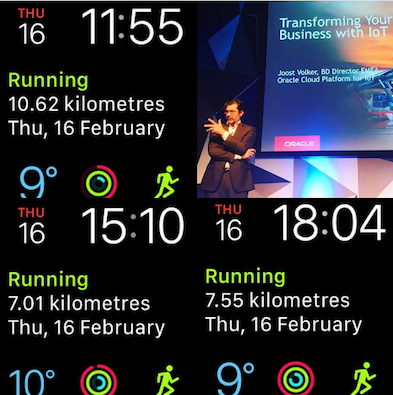
Here’s to DTS in 2018!
Where Will Oracle Applications User Experience Turn Up Next?
Check our website for news about upcoming events and about how to get involved in our activities.
(All images in this post by Ultan O'Broin)
Designing and Building Oracle PaaS Cloud Applications: Never the Same Experience Twice
By Vikki Lira (@vklira), Oracle Applications User Experience
I was thrilled to recently travel to London, UK, to participate in another Oracle Applications User Experience (OAUX) Building Simplified UIs PaaS4SaaS Workshop. This is an intensive design workshop that involves a partner, their customer’s user representatives and the Oracle UX team acting as design and technical facilitators.
It was my second time attending a workshop like this, and the first thing that struck me was that although the partner and customer involved were completely different, there was a consistency in the manner of how each workshop was conducted that stems from our adherence to OAUX design strategy: Simplicity, Mobility, Extensibility. It was fascinating to see how it was applied to this Oracle Sales Cloud application project.

Ultan O’Broin and Julian Orr kick off the workshop, a collaborative effort between Oracle Applications User Experience, Boxfusion Consulting and Panasonic. (Photo by Vikki Lira)
The OAUX team was delighted to collaborate with Boxfusion Consulting and Panasonic to help design and develop a solution for Oracle Sales Cloud using the Oracle Applications Cloud UX Rapid Development Kit (RDK). This hands-on workshop leveraged collaborative design work and technical explorations done remotely in advance by OAUX, Boxfusion Consulting, and Panasonic.
The Oracle Applications Cloud UX RDK is built on Oracle technologies and based on proven user experience design and development. It leverages the PaaS for SaaS advantage and accelerates the delivery of sleek, modern SaaS integrations and custom PaaS application solutions.

Offered in Oracle Applications Cloud UX RDK: Design patterns eBook, coded samples, technical eBook, wireframe template The first day started with introductions.
The OAUX team was led by Ultan O’Broin (@ultan), Senior Director and Julian Orr (@Orr_UX), Principal User Experience Engineer. Ultan kicked off with an overview of the three-day workshop and shared the OAUX design strategy.
Boxfusion Consulting introduced their team as well. They were thrilled to participate with the OAUX team and assist their customer, Panasonic, on this design and build journey. Luis Figueira, Project Lead for Boxfusion, said that ”starting with the UX part of the application could mean that we were ensuring a big part of the project up front. We were ensuring that the customer had visibility of what the application would look like, thereby reducing the risk later on in terms of expectations that we deliver something that’s (designed) according to what their needs actually are.”
Next up, Panasonic gave an overview of their use case and its current capabilities. The group then analyzed possible flows, users, and goals. The discussion then turned to how Panasonic envisioned what their new application would look like and what the most important elements were.
Built-in Best Practices
Before design sketching/brainstorming started, the group discussed design fundamentals and defined the Jobs To Be Done in order to stay on track throughout the design process. Then it was time to get to work!

Lancy Silveira (@LancyS), Senior User Experience Architect, Alex Sensier, Sr. CX Consultant, Boxfusion Consulting and Luis Figueira, CX Cloud Lead, Boxfusion Consulting discussing the RDK and ADF tools. (Photo by Vikki Lira)
The group broke up into two groups. One group dove into the details of the design and began sketching storyboards. The second group explored the RDK, Oracle ADF tools, how to apply design patterns, and the more technical back end such as options for deployment. After both groups agreed on a design sketch and flow, the team proceeded to use the wireframe template from the RDK to build their prototype.
The Multiplier: Speedy Design, Speedy Transfer
The second day started with a recap of the previous day’s accomplishments, and the group set goals for the day. The group agreed that they would work towards implementing a collaborative work plan for building a deployable solution.

Luis Figueira, Boxfusion Consulting, goes back to the basics—pen and paper—for storyboarding. (Photo by Vikki Lira)
Halfway through the day, the OAUX and the Boxfusion teams checked in with Panasonic to learn about their progress. After reviewing the designs, Daniel Creasey, European Channel Marketing Coordinator, Panasonic said, “It’s really, really good. I’m impressed at the speed of everything in just two days.”
The final day was once again focused on building and reviewing designs, as well as identifying any gaps in expectations. As Rhiannon Ainge, Business Systems and Marketing Manager, Panasonic said, “This project is not only for our internal users, but also our partners and customers. . . . . [I]t is really important that we deliver an excellent user experience.“ From all the hard work that I witnessed, I am confident that is exactly what will be delivered.
Want to Find Out More?
OAUX SaaS Sizzle Meets Sinterklaas at Oracle Cloud Day 2016 Amsterdam
Oracle Cloud Day 2016, held in the RAI Amsterdam, was a huge, rip-roaring, soaraway success!

OAUX Was There
Oracle Applications User Experience (OAUX) attended and was in action, showing off our SaaS user experience (UX) and innovation goodness and also contributing a UX enablement for developers session to the day's development track, sponsored by Oracle Partner AMIS NL (@AmisNL).
We were also delighted to make even more Oracle Cloud connections happen through the ever-brilliant Oracle PaaS and Fusion Middleware community leader Jürgen Kress (@soacommunity), Senior Manager for SOA/FMW Partner Programs in EMEA, who provided the Oracle Cloud services used by the partner teams during the on-site hackathon. He’s like our very own Sinterklaas as a Service for Oracle Partners developing cloud solutions!
Making an Entrance in Style
What a kickoff! 12 year-old Micha Barenholz’s kicked off the day to a super start with a dramatic entry on a hover board, reminding us why we need to talk to technology users like him and about why the cloud rocks the world of perennials and millennials alike.

Micha takes the rest of us look slightly old, but we should all be thinking like him. Age is just a number!
One Big Audience
At the last count I heard there were over 1,100 people in attendance and a strong partner presence close to 300. It was the largest Oracle Cloud Day event I have been to, and the best! With tracks dedicated to CX, HCM, ERP, PaaS, IaaS, development, and the rest, all in one fast-paced, business-like, and fun environment, what more could you ask for?
There was strong turnout for my session co-delivered with Oracle Nederland Director of Business Development Jan Leemans (@janleemans) about cloud services and UX for the developer community. I covered our Rapid Development Kit UX enablement offerings as part of an rich developer track on offer that included Java, UX, Mobile, and more on Oracle Cloud services.

Setting up our Cloud services and RDK talk for development teams with Jan (middle) and moderator Martjin Vlek (@martjinvlek), Senior Director, Fusion Middleware, Oracle Nederland on the right.
Throughout the day, Ana Tomescu (@annatomsescu) with the assistance of another 12 year-old onsite, Fionn O’Broin, provided the main showcase section of the event engaged with our SaaS, Smart UX, and emerging technology demos and provided some goodies to those dropping by our demo station.

Fionn O'Broin explores some emerging technology UX and keeps an eye on his Pokémon GO pipeline in the Oracle Cloud.
I also checked out what the local sales folks had for attendees about the Oracle HCM Could user experience. I totally loved the show put on by Oracle Nederland Senior Sales Consultants Randy Lens (@RandyLens) and Nele Odegard (@neleodegard). They explained in simple terms to the audience what UX was, why it was important, and exploring best practices in a fun, engaging and very real way with iPads and a competition!
Randy and Nele made it all about participation . . .

Randy and Nele rock the Oracle HCM Cloud experience!
Hackathon: the Best of Oracle Partners and Oracle Cloud Services
The hackathon proved to be a tremendous technical yet practical dimension to the event, covering a complete process from discovery to design to deployment of a digital solution using the integration power of Oracle Cloud services.
As I explored the hackathon I met representatives from AMIS, eProseed (@eproseed), Capgemini (@capgemini), Ordina (@ordina), and DigitasLBi (@digitaslbi). I was knocked out not only by the experience journey mapping driven by DigitasLBi (who now have an Amsterdam office) but by the productivity of the development effort and the general atmosphere.
This great time lapse video of the hackathon will give you a flavor of the proceedings!

Journey experience mapping example from the hackathon

Example mobile screen built during the hackathon

360 view of the hackathon. Check out the video about this and the rest of Cloud Day on YouTube.
At the end of the day the hackathon rockstars took to the awesome stage to show off their latest release. What a platform, in the real sense of the word!

The hackathon's partners take a bow at the end of the event.
Digital Marketing Meets Dutch Masters
It was great to check in with the Oracle NL people who brought this event to life and who worked the magic on outreach, people such as Business Development Manager Arianne Hageman (@ariannehageman) and Digital Marketing Manager Conny Groen in t Woud (@conny_groen). Throughout the day there was much vlogging and tweeting, as well as hand painted beermat portraits, a massive Tweet visualization, and more exciting engagement ideas we all can learn from.

Ana Tomescu shows off a hand painted portrait OBUG beermat from Oracle Cloud Day. It's how Dutch masters would have done selfies . . .
Many thanks to Arianne and the event team for inviting OAUX. We are looking forward to more delivering more UX enablement in the Netherlands soon!
More Information?
For more information on the Oracle Cloud Day 2016 in Amsterdam check out the YouTube videos and see the Usable Apps Twitter and Instagram accounts.

Oracle Mobile Application Framework and Oracle Application Development Framework RDKs for mobile applications and PaaS4SaaS were explored at the event.
And, if you want to find out more about the RDK enablement for developers that I spoke about?
Then,see this blog post about the RDK experience at Oracle OpenWorld 2016.
Front and Center: The User Experience
I recently returned from the Web Summit in Lisbon, Portugal. This year over 50,000 people joined in the experience. The session tracks were many and chock-full of fascinating tech influencers and thinkers as well as creative technologies.

0 0 1 12 71 Oracle America, Inc. 1 1 82 14.0 Normal 0 false false false EN-US JA X-NONE /* Style Definitions */ table.MsoNormalTable {mso-style-name:"Table Normal"; mso-tstyle-rowband-size:0; mso-tstyle-colband-size:0; mso-style-noshow:yes; mso-style-priority:99; mso-style-parent:""; mso-padding-alt:0in 5.4pt 0in 5.4pt; mso-para-margin:0in; mso-para-margin-bottom:.0001pt; mso-pagination:widow-orphan; font-size:12.0pt; font-family:Cambria; mso-ascii-font-family:Cambria; mso-ascii-theme-font:minor-latin; mso-hansi-font-family:Cambria; mso-hansi-theme-font:minor-latin;}
(photo: Karen Scipi (@KarenScipi))
What a difference a year makes! Thinking back to Web Summit 2015 and comparing that experience with Web Summit 2016, I observed a tide shift for the once sidelined majority: the user. This year’s Web Summit left me with a clear sense that no matter how alpha, beta, or established the product design is, the light shines brightly on today’s user.
0 0 1 101 581 Oracle America, Inc. 4 1 681 14.0 Normal 0 false false false EN-US JA X-NONE /* Style Definitions */ table.MsoNormalTable {mso-style-name:"Table Normal"; mso-tstyle-rowband-size:0; mso-tstyle-colband-size:0; mso-style-noshow:yes; mso-style-priority:99; mso-style-parent:""; mso-padding-alt:0in 5.4pt 0in 5.4pt; mso-para-margin:0in; mso-para-margin-bottom:.0001pt; mso-pagination:widow-orphan; font-size:12.0pt; font-family:Cambria; mso-ascii-font-family:Cambria; mso-ascii-theme-font:minor-latin; mso-hansi-font-family:Cambria; mso-hansi-theme-font:minor-latin;}
What resonated with me in all of the sessions that I attended was that the user experience in today’s world does indeed matter. Speakers and exhibitors alike tailored their pitches to consumers—users—of their product and spoke about how their product designs reflect and incorporate the unique needs of their users.
Oracle’s own Jeremy Ashley (@jrwashley), Oracle Group Vice President, Applications User Experience and Oracle Thought Leader, focused on one aspect of user experience design in his SaaS Monster debate session: The customer is not always right.

Jeremy Ashley, Oracle Group Vice President, Applications User Experience (photo: Karen Scipi)
The perspective that Jeremy argued was nicely captured by Oracle Vice President Killian Evers (@keversca):

Jeremy Ashley (Oracle), Andy O’Donoghue (The Gadget Buzz, TV3), and David Gurle (Symphony)
0 0 1 13 79 Oracle America, Inc. 1 1 91 14.0 Normal 0 false false false EN-US JA X-NONE /* Style Definitions */ table.MsoNormalTable {mso-style-name:"Table Normal"; mso-tstyle-rowband-size:0; mso-tstyle-colband-size:0; mso-style-noshow:yes; mso-style-priority:99; mso-style-parent:""; mso-padding-alt:0in 5.4pt 0in 5.4pt; mso-para-margin:0in; mso-para-margin-bottom:.0001pt; mso-pagination:widow-orphan; font-size:12.0pt; font-family:Cambria; mso-ascii-font-family:Cambria; mso-ascii-theme-font:minor-latin; mso-hansi-font-family:Cambria; mso-hansi-theme-font:minor-latin;}0 0 1 138 788 Oracle America, Inc. 6 1 925 14.0 Normal 0 false false false EN-US JA X-NONE /* Style Definitions */ table.MsoNormalTable {mso-style-name:"Table Normal"; mso-tstyle-rowband-size:0; mso-tstyle-colband-size:0; mso-style-noshow:yes; mso-style-priority:99; mso-style-parent:""; mso-padding-alt:0in 5.4pt 0in 5.4pt; mso-para-margin:0in; mso-para-margin-bottom:.0001pt; mso-pagination:widow-orphan; font-size:12.0pt; font-family:Cambria; mso-ascii-font-family:Cambria; mso-ascii-theme-font:minor-latin; mso-hansi-font-family:Cambria; mso-hansi-theme-font:minor-latin;}
Jeremy presented a key differentiator for Oracle user experience design: “It’s not what the customer says, it’s what the customer wants and needs essentially. The true designer, the true innovator spends as much time in investigation of that than they do in providing the solution.”
And do we. We do ethnographic studies. We also spend a great deal of time with our customers: we listen, we watch, we observe. We follow our customers around and observe where they work—the kinds of buildings they work in, their offices, their cubicles—as well as how they work, and with whom and how they engage with others.
Then we take that knowledge and design user experiences for our solutions—our platform, tools, and applications—that solve customer problems and empower customers to make the solutions their own, to enhance them, and enable them to innovate on their own.

Jeremy Ashley (Oracle), Andy O’Donoghue (The Gadget Buzz, TV3), and David Gurle (Symphony)
0 0 1 13 79 Oracle America, Inc. 1 1 91 14.0 Normal 0 false false false EN-US JA X-NONE /* Style Definitions */ table.MsoNormalTable {mso-style-name:"Table Normal"; mso-tstyle-rowband-size:0; mso-tstyle-colband-size:0; mso-style-noshow:yes; mso-style-priority:99; mso-style-parent:""; mso-padding-alt:0in 5.4pt 0in 5.4pt; mso-para-margin:0in; mso-para-margin-bottom:.0001pt; mso-pagination:widow-orphan; font-size:12.0pt; font-family:Cambria; mso-ascii-font-family:Cambria; mso-ascii-theme-font:minor-latin; mso-hansi-font-family:Cambria; mso-hansi-theme-font:minor-latin;}0 0 1 104 594 Oracle America, Inc. 4 1 697 14.0 Normal 0 false false false EN-US JA X-NONE /* Style Definitions */ table.MsoNormalTable {mso-style-name:"Table Normal"; mso-tstyle-rowband-size:0; mso-tstyle-colband-size:0; mso-style-noshow:yes; mso-style-priority:99; mso-style-parent:""; mso-padding-alt:0in 5.4pt 0in 5.4pt; mso-para-margin:0in; mso-para-margin-bottom:.0001pt; mso-pagination:widow-orphan; font-size:12.0pt; font-family:Cambria; mso-ascii-font-family:Cambria; mso-ascii-theme-font:minor-latin; mso-hansi-font-family:Cambria; mso-hansi-theme-font:minor-latin;}
Fundamentally each product we deliver should meet a real need. As Jeremy shared: “Every time you design for a large complicated system, there are a number of ways to go about it. . . . . What we [Oracle Applications User Experience] do is we go out to the customer and we identify the essence of the problem.” For example, “Who is the person I can call next that I will make the most money from for the least effort? If it doesn’t address that core essence, it doesn’t matter. Spending that time to understand what the essence is of the problem, that thing that will allow them to participate is a motivation. Identifying not the stories that people tell, but the truth underlying those stories.”

Jeremy Ashley (Oracle), Andy O’Donoghue (The Gadget Buzz, TV3), and David Gurle (Symphony)
0 0 1 13 79 Oracle America, Inc. 1 1 91 14.0 Normal 0 false false false EN-US JA X-NONE /* Style Definitions */ table.MsoNormalTable {mso-style-name:"Table Normal"; mso-tstyle-rowband-size:0; mso-tstyle-colband-size:0; mso-style-noshow:yes; mso-style-priority:99; mso-style-parent:""; mso-padding-alt:0in 5.4pt 0in 5.4pt; mso-para-margin:0in; mso-para-margin-bottom:.0001pt; mso-pagination:widow-orphan; font-size:12.0pt; font-family:Cambria; mso-ascii-font-family:Cambria; mso-ascii-theme-font:minor-latin; mso-hansi-font-family:Cambria; mso-hansi-theme-font:minor-latin;}0 0 1 121 690 Oracle America, Inc. 5 1 810 14.0 Normal 0 false false false EN-US JA X-NONE /* Style Definitions */ table.MsoNormalTable {mso-style-name:"Table Normal"; mso-tstyle-rowband-size:0; mso-tstyle-colband-size:0; mso-style-noshow:yes; mso-style-priority:99; mso-style-parent:""; mso-padding-alt:0in 5.4pt 0in 5.4pt; mso-para-margin:0in; mso-para-margin-bottom:.0001pt; mso-pagination:widow-orphan; font-size:12.0pt; font-family:Cambria; mso-ascii-font-family:Cambria; mso-ascii-theme-font:minor-latin; mso-hansi-font-family:Cambria; mso-hansi-theme-font:minor-latin;}
We work hard to advocate for our customers and to produce the right solutions for them. We believe that our solutions should simply empower the lives of those who use them. We embed great, consistent user experience throughout our solutions.
For more of Oracle GVP Jeremy Ashley’s sessions at Web Summit:
- Watch the full 20-minute SaaS Monster debate session: The customer is not always right on the Web Summit SaaS Monster Facebook page. This debate session, Second half of Day One SaaS Monster, starts at 1:23:12.
- Watch Jeremy Ashley’s Thought Leader interview with Cloud Moves TV: https://www.youtube.com/watch?v=DQo1KTkMwIU&feature=youtu.be&a.
Who will leave their Apple Watch to their grandchildren, Romania?
Just back from some very hot Oracle Applications User Experience (OAUX) outreach and enablement in that part of the world known as the Silicon Valley of Transylvania: Romania.
I teamed up with our Bucharest-based Cloud User Experience (UX) Program Manager Ana Tomescu (@annatomescu) and other local Oracle teams to coordinate our presence, which was all about maximizing the Oracle Cloud and SaaS UX message and changing any lingering perceptions about Oracle being only the database company.

Word Cloud UX: Our outreach in Romania covered many areas. Users are always at the center of what we do.
We took to the stage at the Great People Inside Conference: The New World of Work event in Brașov, Romania, to deliver a keynote presentation about the functionality, form, fitness, and fashion trends of the digital user experience needed for today’s digital workforce.

Fashion and Technology: The Dress Code of the Digital Workforce. The title of this blog post is taken from this slide.
The Great People Inside conference is the largest of its type for HR professionals in Romania, and it focuses on the world of work, so it was an ideal platform for people to hear about the Human Capital Management (HCM) benefits of the Oracle Cloud UX strategy and innovation.
The keynote presentation concluded with digital UX adoption observations and takeaways, and then we joined in a panel with Monica Costea, Oracle HCM Senior Solutions Consultant for the region, and other speakers to answer questions from a packed audience.

Increasing digital UX adoption: from fashion to fitness to functionality . . .
The panel was asked about whether Toyota's use of Kirobo, the smart car-based robot in Japan, could apply to other markets, about how to achieve a balance between technology and fitness (Pokémon Go is a fine example), about the 360-degree capabilities of HR applications, and more. The English-to-Romanian translator working in real time deserves a prize for my use of Uncanny Valley.

Monica Costea, Ultan O'Broin, and Ana Tomescu testing remote selfie capabilities
In return, I asked the audience if fitness and wellness programs were a feature of enterprise offerings in Romania (an emergent one it seems), and how many people in the audience played Pokémon GO (seems people were shy, but I am assured they do!).
Earlier that same week we were honored to bring the Powerful Tech Team: The Cloud and Wearable Tech Experience event to Bucharest’s awesome TechHub with co-host Vector. A lively evening there featured panel discussions on Cloud UX strategy and innovation trends and how to increase wearable tech adoption and engagement, followed by a couple of guerrilla pitches to the gathered turnout by local startups Endtest and viLive.

Influencers: Follow the smart money, smart people, and what they're saying.
Interaction with the TechHub audience included discussions on user research, data accuracy, context, Big Data and visualizations, the importance of cutting-edge and fashionable design, how emerging tech such as AI, machine learning, and VR can be integrated with the wearables experience, and more. We got to experience the excitement and energy of the Bucharest startup scene, make some new contacts, and get some new ideas for further "boots on the ground" UX activities.
Definitely, there is an opportunity for UX and design meetups in this amazing city of tech innovators, entrepreneurs, and developers.
So, we covered two great events in the same week that covered the best of Digital Romania and the OAUX communications and outreach charter of UX storytelling and enablement in action for the world of work.

Some downtime in Transylvania. There's always storytelling and a Vlad involved with UX . . . 
It was not my first time in Romania, and it won’t be the last! Oracle is making a huge investment in some very smart people in Romania, and we’re eager to be part of their successes.
We’re looking forward to more UX events in Romania and the ECEMEA region. Stay tuned to the Usable Apps website events section.
Digital User Experience from the Cloud Hits the Silicon Valley of Transylvania
Ultan O'Broin (@ultan) tells us of upcoming EMEA activity:
Seems appropriate that someone from Bram Stoker’s home town, Dublin, should be visiting the Silicon Valley of Transylvania again, eh? I won't be alone, of course. We have a great team of Oracle Applications User Experience champs in Romania already!
I'm delighted to say that this October we are off around Romania for an engaging of sessions about user experience trends, emerging technology insights, innovation, and how digital-savvy people need digital-savvy workplaces and ways of working.

First of all, we're excited by another opportunity to engage with the Bucharest startup scene, this time at Bucharest’s TechHub where will join the tech community to share insights on the hot topics of the "Cloud and Wearable Technology Experience". Don’t miss it (Or "Imposibil de ratat", if you prefer). See you there! Sign up here.
Later in the same week we will be at the Great People Inside conference in Brașov, bringing a lively session called "Function, Form, Fitness and Fashion: Smart People Need A Smart Experience".

More details of this leading event are on the Usable Apps website.
Stay tuned for reports and insights from both these events and more from Romania!
Oracle Cloud UX Exchange: The Rapid Development Kit Experience
I was thrilled to attend Oracle OpenWorld 2016 to support the Oracle Applications User Experience (OAUX) Cloud UX Rapid Development Kit (RDK) station at the OAUX Cloud Exchange with my colleagues Tim Dubois (@Timdubis), Scott Robinson (@scottrobinson), and Lancy Silveira (@LancyS).

From left-to-right: Holly Roland, Scott Robinson, and Tim Dubois (photo: Misha Vaughan)
Over three days, we had the great privilege of meeting many partners and customers who stopped by our station to learn more about our RDKs, ask questions, and share their real-world use cases.
I observed some themes in the questions that were asked, so today I'm offering answers to a few of the most frequently asked questions in this post for anyone who wasn’t able to stop by our station and might have these questions, too.
0 0 1 150 861 Oracle America, Inc. 7 2 1009 14.0 Normal 0 false false false EN-US JA X-NONE /* Style Definitions */ table.MsoNormalTable {mso-style-name:"Table Normal"; mso-tstyle-rowband-size:0; mso-tstyle-colband-size:0; mso-style-noshow:yes; mso-style-priority:99; mso-style-parent:""; mso-padding-alt:0in 5.4pt 0in 5.4pt; mso-para-margin:0in; mso-para-margin-bottom:.0001pt; mso-pagination:widow-orphan; font-size:12.0pt; font-family:Cambria; mso-ascii-font-family:Cambria; mso-ascii-theme-font:minor-latin; mso-hansi-font-family:Cambria; mso-hansi-theme-font:minor-latin;}

From left-to-right: Lancy Silveira (OAUX), Luc Bors (eProseed), Timo Hahn (virtual7 GmbH), and Tim Dubois (OAUX) explore RDK possibilities at the OAUX Exchange at OpenWorld. Luc Bors also wrote one of the forewords to our Mobile Cloud UX Design Patterns eBook. (photo: Karen Scipi)
What’s a Rapid Development Kit (RDK)?
An RDK is a complete, standalone, integrated user interface (UI) accelerator kit created by the OAUX team with input from the Oracle PartnerNetwork. It is built on Oracle technologies and based on proven user experience design and development.
Partners can use an RDK to design and build consistent SaaS and PaaS user experiences for simplified user interfaces and mobile user experiences deployed to Oracle Cloud Services.
We offer three RDKs. Everything in each RDKs is reusable. Our RDKs include:
0 0 1 38 218 Oracle America, Inc. 1 1 255 14.0 Normal 0 false false false EN-US JA X-NONE /* Style Definitions */ table.MsoNormalTable {mso-style-name:"Table Normal"; mso-tstyle-rowband-size:0; mso-tstyle-colband-size:0; mso-style-noshow:yes; mso-style-priority:99; mso-style-parent:""; mso-padding-alt:0in 5.4pt 0in 5.4pt; mso-para-margin:0in; mso-para-margin-bottom:.0001pt; mso-pagination:widow-orphan; font-size:12.0pt; font-family:Cambria; mso-ascii-font-family:Cambria; mso-ascii-theme-font:minor-latin; mso-hansi-font-family:Cambria; mso-hansi-theme-font:minor-latin;}
- Example SaaS flows and PaaS services integrations
- Coded samples, components, and templates with Oracle Alta UI CSS and images
- UX design pattern eBook, technical eBook, wireframing templates, and more
- Guidance on how to use a use case to win business with
0 0 1 167 956 Oracle America, Inc. 7 2 1121 14.0 Normal 0 false false false EN-US JA X-NONE -"/> /* Style Definitions */ table.MsoNormalTable {mso-style-name:"Table Normal"; mso-tstyle-rowband-size:0; mso-tstyle-colband-size:0; mso-style-noshow:yes; mso-style-priority:99; mso-style-parent:""; mso-padding-alt:0in 5.4pt 0in 5.4pt; mso-para-margin:0in; mso-para-margin-bottom:.0001pt; mso-pagination:widow-orphan; font-size:12.0pt; font-family:Cambria; mso-ascii-font-family:Cambria; mso-ascii-theme-font:minor-latin; mso-hansi-font-family:Cambria; mso-hansi-theme-font:minor-latin;}

Offered in all of our Oracle UX RDKs: Design patterns eBook, coded sample, technical eBook, wireframe template
What RDKs Are There, and When Will They Be Available?
OAUX is delighted to offer three free RDKs for your technology and development needs.
Oracle Cloud UX RDK
The Oracle Cloud UX RDK is for those who design and build SaaS simplified UIs and extensions using Oracle Application Development Framework (Oracle ADF) and deploy apps using Oracle Java Cloud Service and/or Oracle Java Cloud Service-SaaS Extensions (JCS-SX).
The Oracle Cloud UX RDK is available now. Check out our Usable Apps page for information about downloading this RDK and for information about getting started.
For a quick tour of our Usable Apps page, watch our 15-minute webinar. A Customer Connect Community account is required. If you don’t have an account, take a moment to register for one.

Oracle Cloud UX RDK: Simplified home experience
Oracle JET UX RDK
The Oracle JET UX RDK is for those who design and build simplified UIs using Oracle JavaScript Extension Toolkit (JET). This RDK supports any JavaScript-suitable IDE or editor and supports deploying PaaS apps to a cloud server.
The Oracle JET UX RDK will be available soon. Watch this blog and our other channels for announcements and more information when this RDK becomes available.
0 0 1 74 425 Oracle America, Inc. 3 1 498 14.0 Normal 0 false false false EN-US JA X-NONE /* Style Definitions */ table.MsoNormalTable {mso-style-name:"Table Normal"; mso-tstyle-rowband-size:0; mso-tstyle-colband-size:0; mso-style-noshow:yes; mso-style-priority:99; mso-style-parent:""; mso-padding-alt:0in 5.4pt 0in 5.4pt; mso-para-margin:0in; mso-para-margin-bottom:.0001pt; mso-pagination:widow-orphan; font-size:12.0pt; font-family:Cambria; mso-ascii-font-family:Cambria; mso-ascii-theme-font:minor-latin; mso-hansi-font-family:Cambria; mso-hansi-theme-font:minor-latin;}
Oracle Cloud JET UX RDK: Simplified home experience
Oracle MAF UX RDK
The Oracle MAF UX RDK is for those who design and build mobile apps using Oracle Mobile Application Framework (Oracle MAF). This RDK supports popular devices and native device features. Apps built using this RDK can also be integrated with Oracle Mobile Cloud Service.
The Oracle MAF UX RDK will be available soon. Watch this blog and our other channels for announcements and more information when this RDK becomes available.
0 0 1 32 184 Oracle America, Inc. 1 1 215 14.0 Normal 0 false false false EN-US JA X-NONE /* Style Definitions */ table.MsoNormalTable {mso-style-name:"Table Normal"; mso-tstyle-rowband-size:0; mso-tstyle-colband-size:0; mso-style-noshow:yes; mso-style-priority:99; mso-style-parent:""; mso-padding-alt:0in 5.4pt 0in 5.4pt; mso-para-margin:0in; mso-para-margin-bottom:.0001pt; mso-pagination:widow-orphan; font-size:12.0pt; font-family:Cambria; mso-ascii-font-family:Cambria; mso-ascii-theme-font:minor-latin; mso-hansi-font-family:Cambria; mso-hansi-theme-font:minor-latin;}

Oracle MAF UX RDK: Simplified home experience
Our mobile design patterns eBook is available now in EPUB and PDF formats. Download your free copy now.
0 0 1 116 664 Oracle America, Inc. 5 1 779 14.0 Normal 0 false false false EN-US JA X-NONE /* Style Definitions */ table.MsoNormalTable {mso-style-name:"Table Normal"; mso-tstyle-rowband-size:0; mso-tstyle-colband-size:0; mso-style-noshow:yes; mso-style-priority:99; mso-style-parent:""; mso-padding-alt:0in 5.4pt 0in 5.4pt; mso-para-margin:0in; mso-para-margin-bottom:.0001pt; mso-pagination:widow-orphan; font-size:12.0pt; font-family:Cambria; mso-ascii-font-family:Cambria; mso-ascii-theme-font:minor-latin; mso-hansi-font-family:Cambria; mso-hansi-theme-font:minor-latin;}
eBook: Oracle Mobile Applications Cloud User Experience Design Patterns
How Can an RDK Help Me?
Using an RDK helps partners and customers rapidly—in hours—design, build, adapt, and deploy SaaS and PaaS simplified and mobile UIs.
We offer different RDKs so that you can choose the best RDK toolkit for your requirements.
RDKs are major differentiators for partners who are looking to increase business through Oracle Cloud adoption. Because an RDK helps partners produce consistent UX results, an RDK offers customers confidence in the Oracle Cloud.
Using an RDK also helps boost partner and developer productivity. Each RDK includes resources, such as coded samples, flows, design patterns, and wireframing templates that help simplify design, iteration, and coding work.
0 0 1 120 685 Oracle America, Inc. 5 1 804 14.0 Normal 0 false false false EN-US JA X-NONE /* Style Definitions */ table.MsoNormalTable {mso-style-name:"Table Normal"; mso-tstyle-rowband-size:0; mso-tstyle-colband-size:0; mso-style-noshow:yes; mso-style-priority:99; mso-style-parent:""; mso-padding-alt:0in 5.4pt 0in 5.4pt; mso-para-margin:0in; mso-para-margin-bottom:.0001pt; mso-pagination:widow-orphan; font-size:12.0pt; font-family:Cambria; mso-ascii-font-family:Cambria; mso-ascii-theme-font:minor-latin; mso-hansi-font-family:Cambria; mso-hansi-theme-font:minor-latin;} Design Patterns and Wireframing Templates
Creating reusable interaction design solutions for common use cases that can be adapted and applied across applications to deliver modern, compelling, consistent user experiences is easy with our RDKs. Partners can use design patterns and wireframing templates delivered in our RDKs:
0 0 1 71 406 Oracle America, Inc. 3 1 476 14.0 Normal 0 false false false EN-US JA X-NONE /* Style Definitions */ table.MsoNormalTable {mso-style-name:"Table Normal"; mso-tstyle-rowband-size:0; mso-tstyle-colband-size:0; mso-style-noshow:yes; mso-style-priority:99; mso-style-parent:""; mso-padding-alt:0in 5.4pt 0in 5.4pt; mso-para-margin:0in; mso-para-margin-bottom:.0001pt; mso-pagination:widow-orphan; font-size:12.0pt; font-family:Cambria; mso-ascii-font-family:Cambria; mso-ascii-theme-font:minor-latin; mso-hansi-font-family:Cambria; mso-hansi-theme-font:minor-latin;}
- Before a single line of code is written. They can be used during the innovation cycle to help expose problems early, increase productivity of application builders, and eliminate costly surprises late in the build cycle.
- After code is written. They can be used to extend Oracle Applications Simplified User Interfaces and Oracle Mobile Applications by building modern, compelling customer solutions that look and behave like Oracle user experiences for Oracle Cloud Services.
0 0 1 7 41 Oracle America, Inc. 1 1 47 14.0 Normal 0 false false false EN-US JA X-NONE /* Style Definitions */ table.MsoNormalTable {mso-style-name:"Table Normal"; mso-tstyle-rowband-size:0; mso-tstyle-colband-size:0; mso-style-noshow:yes; mso-style-priority:99; mso-style-parent:""; mso-padding-alt:0in 5.4pt 0in 5.4pt; mso-para-margin:0in; mso-para-margin-bottom:.0001pt; mso-pagination:widow-orphan; font-size:12.0pt; font-family:Cambria; mso-ascii-font-family:Cambria; mso-ascii-theme-font:minor-latin; mso-hansi-font-family:Cambria; mso-hansi-theme-font:minor-latin;}

Wireframe template in the Oracle Mobile UX RDK

Sample design patterns: Oracle Cloud UX RDK (top) and Oracle Mobile UX RDK (bottom)
0 0 1 271 1550 Oracle America, Inc. 12 3 1818 14.0 Normal 0 false false false EN-US JA X-NONE /* Style Definitions */ table.MsoNormalTable {mso-style-name:"Table Normal"; mso-tstyle-rowband-size:0; mso-tstyle-colband-size:0; mso-style-noshow:yes; mso-style-priority:99; mso-style-parent:""; mso-padding-alt:0in 5.4pt 0in 5.4pt; mso-para-margin:0in; mso-para-margin-bottom:.0001pt; mso-pagination:widow-orphan; font-size:12.0pt; font-family:Cambria; mso-ascii-font-family:Cambria; mso-ascii-theme-font:minor-latin; mso-hansi-font-family:Cambria; mso-hansi-theme-font:minor-latin;} Success Stories
We were joined by partners at the OAUX Cloud Exchange who shared their experiences of how using the Cloud UX RDK has enabled their businesses.
Read their stories:
 0
0
1
111
638
Oracle America, Inc.
5
1
748
14.0
Normal
0
false
false
false
EN-US
JA
X-NONE
-"/>
/* Style Definitions */
table.MsoNormalTable
{mso-style-name:"Table Normal";
mso-tstyle-rowband-size:0;
mso-tstyle-colband-size:0;
mso-style-noshow:yes;
mso-style-priority:99;
mso-style-parent:"";
mso-padding-alt:0in 5.4pt 0in 5.4pt;
mso-para-margin:0in;
mso-para-margin-bottom:.0001pt;
mso-pagination:widow-orphan;
font-size:12.0pt;
font-family:Cambria;
mso-ascii-font-family:Cambria;
mso-ascii-theme-font:minor-latin;
mso-hansi-font-family:Cambria;
mso-hansi-theme-font:minor-latin;}
0
0
1
111
638
Oracle America, Inc.
5
1
748
14.0
Normal
0
false
false
false
EN-US
JA
X-NONE
-"/>
/* Style Definitions */
table.MsoNormalTable
{mso-style-name:"Table Normal";
mso-tstyle-rowband-size:0;
mso-tstyle-colband-size:0;
mso-style-noshow:yes;
mso-style-priority:99;
mso-style-parent:"";
mso-padding-alt:0in 5.4pt 0in 5.4pt;
mso-para-margin:0in;
mso-para-margin-bottom:.0001pt;
mso-pagination:widow-orphan;
font-size:12.0pt;
font-family:Cambria;
mso-ascii-font-family:Cambria;
mso-ascii-theme-font:minor-latin;
mso-hansi-font-family:Cambria;
mso-hansi-theme-font:minor-latin;}
- Knex Technology: Interested in Lift-Off for Your Cloud Business?
- Hitachi Consulting: Simplified UI Rapid Development Kit Sends Oracle Partners Soaring in the Oracle Applications Cloud
Our Channels
For the latest news and updates on our Rapid Development Kits and all things partner-enablement, watch this blog space and follow us on these channels:
0 0 1 79 451 Oracle America, Inc. 3 1 529 14.0 Normal 0 false false false EN-US JA X-NONE /* Style Definitions */ table.MsoNormalTable {mso-style-name:"Table Normal"; mso-tstyle-rowband-size:0; mso-tstyle-colband-size:0; mso-style-noshow:yes; mso-style-priority:99; mso-style-parent:""; mso-padding-alt:0in 5.4pt 0in 5.4pt; mso-para-margin:0in; mso-para-margin-bottom:.0001pt; mso-pagination:widow-orphan; font-size:12.0pt; font-family:Cambria; mso-ascii-font-family:Cambria; mso-ascii-theme-font:minor-latin; mso-hansi-font-family:Cambria; mso-hansi-theme-font:minor-latin;}
- Oracle Usable Apps
- YouTube: oracleusableapps
- Facebook: Oracle Applications User Experience
- Twitter: @UsableApps
- LinkedIn: Oracle Applications User Experience
Exclusive! Oracle Mobile & JET Rapid Development Kit Enablement for APAC Partners Webinar

Oracle PartnerNetwork and Oracle Applications User Experience Exclusive October 2016 Webcast Announcement:
Oracle Applications User Experience PaaS4SaaS Oracle MAF and Oracle JET Rapid Development Kits Enablement
I am pleased to say our first exclusive webinar explaining the new Oracle Applications User Experience (OAUX) Oracle Mobile Application Framework (MAF) and Oracle JavaScript Extension Toolkit (JET) Rapid Development Kits (RDKs) is for our very special PaaS and SaaS friends in the APAC region on October 19, 2016 (local time).

What's an RDK?
The RDK accelerator kits are based on enterprise best practices, reusable user experience (UX) design patterns, and the Oracle Alta UI look and feel. They contain all the components, code samples, and page templates partners need to quickly design and build compelling user experiences in the cloud. At this exclusive event, you can find out about:
- RDK sample UIs and mobile flows for Oracle Sales Cloud (CRM), Oracle Human Capital Management (HCM) and Oracle Enterprise Resource Planning (ERP) SaaS.
- Identifying a good PaaS or SaaS use case.
- Integrating web services with PaaS flows and smartphone “capture” features, such as cameras and microphones, with SaaS flows.
- And more RDK good stuff revealed at the Oracle Applications User Experience Exchange at Oracle OpenWorld 2016!
These two new standalone RDK accelerators for building mobile SaaS apps and JavaScript simplified UIs for SaaS and PaaS augment the OAUX RDK capability so that partners now have even more firepower to win more cloud business with that must-have user experience. Killer mobile apps and SaaS and PaaS UIs can be in customer hands in no time!
The event registration page is now available, so sign up!
Can't Wait?
A taster of what you can expect can be had now for free: Get your free copy of the Oracle Mobile Applications Cloud User Experience Design Patterns eBook now!

Online webinars for other regions will be announced shortly. This is your chance to get the latest RDK information from the experts!
And There's More. . .
In addition, we are planning to visit each region and provide hands-on enablement and deep-dive sessions about our resources at events for partners and customers worldwide.
Stay tuned.
How to Increase Partner Opportunities using Oracle Applications User Experience Enablers
By Plinio Arbizu of Oracle Gold Partner Services & Processes Solutions, Mexico
There are lots of advantages for partners by employing user experience (UX) practices to develop their business solutions. Major benefits such as productivity gains, user satisfaction, and training savings are realized during project implementation right through to the final delivery.
However, what happens when a partner is in the pre-sale project stage or when the customer is not yet convinced to invest resources to implement UX improvements?
In such situations, at S&P solutions we have found that applying design and prototyping techniques to legacy systems allows us to quickly show customers the benefits that can be achieved with an enhanced applications user experience.
This article provides details of a prototyping experience using the tools provided by the Oracle Applications User Experience (OAUX) Cloud User Experience Rapid Development Kit (RDK).
Use Case
Oracle iProcurement is part of Oracle E-Business Suite and enables organizations to perform the procurement activity electronically over the internet. The user interfaces are a classic desktop design as shown in the following image:

In this case, we are going to enhance the Oracle iProcurement user experience, taking into account real customer requirements and suggestions about the design.
Customer Requirements
The requirements for the new design are:
1. To expedite the Receiving Goods process. Usually, users perform the following steps to complete the receiving process:
a. Visually inspect received goods.
b. Registration of the received goods on paper.
c. Registration of this paper information in Oracle iProcurement.
The proposed digital UX solution should simplify this process in order to reduce operations time.
2. The new user experience must facilitate the user to be more productive in completing tasks.
Proposed Solution
The proposed solution was composed of these important features.
- Use of mobile devices. This would allow the receiving process to be performed flexibly from the factory receiving zone and avoid the need for of paper.
- Use of mobile device features. To reduce processing time for received goods we can use the mobile device camera to read the barcode of the goods and avoid typing in the codes manually.
Suggested User Interfaces
In order to implement the requirements, we suggested the following interface design:
List of Requisitions

Proposed Requisitions List Mobile UI Design
On this mobile interface we can see the same requisition information shown in the previous desktop interface. But, in the redesign we've proposed the following recommendations to improve the user experience:
- A flatter visual design.
- Page content that is constrained horizontally and centered.
- The most important content is easily glanced at.
- More content is available with a wider display, in landscape mode.
- A salient color is used to highlight – not decorate, but we ensure that we meet accessibility requirements for use of color too.
- Gradual disclosure of key information as needed to complete the task.
Receive Requisitions

Proposed Receive Requisitions Mobile UI Design
This interface is designed to register the receipt of goods:
- We use colors to highlight the information. For example, we use the red color to identify modified information, but again are aware of accessibility requirements.
- Another important aspect considered in this design is that only information that is really useful for the business process (for example, requisition quantities) is displayed.
- This design follows a gradual disclosure recommendation. For example, the Change Receipt Quantity and Delete Item options are not displayed by default, but only when the user needs to update info by selecting the yellow button on the right.
Resources
We used the prototyping tools provided by the OAUX Cloud UX RDK. The RDK includes an easy-to-use wireframing template and tools that enable the creation of high-fidelity wireframes that were used for creating the mobile user interfaces included in this article.
In addition to the RDK, the Oracle Applications User Experience team offers partners and developers resources and methods to improve applications user experience productively and to win business. More details can be found on the Usable Apps website.
Conclusions
Using the OAUX resources to show customers designs of user interfaces that apply key UX principles and comparing the new designs with existing solutions is an excellent way to demonstrate the advantages of an improved user experience and to win customer business.
Enablement for the design and building of partner user experience solutions is available for free. Use the resources and guidance offered by the OAUX team on the Usable Apps website and the information on the Usable Apps blog.
These resources and knowledge enables Oracle partners and developers to improve their skills and to offer customers more than technical skills: a complete user experience that is easy and fast to design, build, and implement.
About the Author
Plinio Arbizu is an Oracle Applications User Experience Designated Speaker and Oracle Technology Network ACE Director. He has more of 15 years of professional experience in projects using Oracle products such as Oracle Forms, Oracle ADF, Oracle WebCenter, and Oracle Mobile Application Framework (MAF) and is one of the authors of Web 2.0 Solutions with Oracle WebCenter 11g.
Plinio is a frequent speaker at Latin America events and is one of the coordinators of ORAMEX (Grupo de Usuarios Oracle de México/Oracle User Group Mexico), as featured on the Usable Apps blog. Plinio also holds UX certification from the Nielsen Norman Group.
Timecard Humor: A First-Timer’s Perspective on PaaS4SaaS Partner Enablement
By Vikki Lira (@vklira), Oracle Applications User Experience
While it may not seem possible to think humor could be found when discussing timecards and payroll, I’m here to say that it can, and dare I say it can be exciting at times, too.
As a new member of the Oracle Applications Cloud User Experience (OAUX) team, I recently had the opportunity to sit in on a two-day partner enablement workshop: Building Oracle ADF Simplified UIs with PaaS4SaaS. My first thought when I was invited was: “What does that even mean?” I came to discover that it was a hands-on design-and-build workshop facilitated by the OAUX team in collaboration with Oracle Partner Knex Technology. The purpose of the workshop was to enable PES Payroll to use the Oracle Applications Cloud UX Rapid Development Kit (RDK) to productively design and develop SaaS solutions for deployment to the Oracle Applications Cloud.

Ultan O’Broin, fresh from Dublin, kicks off the Oracle Applications User Experience, Knex Technology, and PES Payroll collaborative workshop at Oracle HQ in the OAUX Participatory Design Room. (Photo by Misha Vaughan)
The OAUX team was led by Ultan O’Broin (@ultan), Senior Director and Julian Orr (@Orr_UX), Principal User Experience Engineer. Ultan kicked off the day by reviewing the expectations of the workshop and giving an overview of the Oracle Cloud UX Design Strategy. The focus over the next two days would be to define the job-to-be-done and use the OAUX Simplified UI Rapid Development Kit (RDK) for Release 10 to enable PES Payroll to customize and extend the digital user experience of their payroll solution. The OAUX PaaS4SaaS RDK is a complete standalone kit that contains SaaS simplified code samples, design guidance, wireframing templates, and developer how-tos.

The OAUX Design Patterns eBook that contains the user experience design patterns we use to build the sleek, modern, simplified user interface.
Next up was Stephen Chow, Director of Software Development from PES Payroll, who gave an overview of PES, their business needs, and expectations. Larry Morris, VP of Product Development from PES, noted, “This is energizing to me. This is what we do.”
While I will confess there were many times during the day when the material became highly specialized and complex, Julian kept everyone on track until eventually a breakthrough was made and the group had an aha moment. They finally agreed to a workflow. This was a very, very big deal for digital disruption. Suddenly the team went from business as usual to having a quantum breakthrough in their approach to simplicity and design. It was so impactful that some individuals (who shall remain nameless) actually started jumping up and down. It was really exciting and humorous because after all, we were still talking about timecards.
According to Stephen Chow, the value of the workshop with the OAUX team and Knex Technology is that “it makes collaboration quicker, faster and you know when you have those aha moments, it’s really nice to celebrate with the team. It motivates everyone to keep moving forward and have more aha moments.”
On day 2, a fully sketched solution was agreed upon and presented to Jeremy Ashley (@jrwashley), Group Vice President, OAUX. Because of all the hard work that was done over the two days, combined with an adherence to the OAUX design principles, there was a selection of user interfaces highly rendered using Microsoft PowerPoint as a wireframing tool that perfectly captured the essence of Oracle’s Cloud UX simplicity and PES business requirements. As Jeremy put it, “I look at it, I understand exactly what I need to do”. The design was clean, simple, and to the point.
Basheer Khan (@bkhan), Principal, Knex Technology, told us that by using the OAUX Simplified UI Rapid Development Kit (RDK) for Release 10 “it opens the doors for any new functionality the customer needs to add to what they already have and gives them a complete solution to run their business. It allows them to reach any aspect of Cloud applications and make the process more efficient. It’s just amazing!”

John Flores and Stephen Chow (PES Payroll); Ultan (Oracle); Larry Morris (PES Payroll) Basheer Khan and CK Leow, (Knex Technology), and Julian (Oracle) take a break from several hours of intensive design work to share some payroll humor and pose for a group photo. (Photo by Vikki Lira)
At the end of the workshop passion prevailed, with a dash of humor. A desire for a clear, accurate, and convenient payroll solution combined with enthusiasm for clean, simple design. I look forward to participating in another workshop soon!
Want to find out more?
Jet into the Oracle OpenWorld 2016 User Experience Exchange
10, 9, 8, 7 ... Ignition Sequence Start ..
Oracle OpenWorld 2016 lifts off in September! And boy, have we been putting some passion and power into that user experience (UX) greatness to share with you. Oracle Applications User Experience (OAUX) Senior Director, Misha Vaughan (@mishavaughan), tells us:
"I am proud to say that the team has even more fantastic experiences lined up for attendees at Oracle OpenWorld this year. Near and dear to my heart is our Oracle OpenWorld User Experience Exchange. This will be our fourth annual event, and it just gets better every year for partners, customers, and analysts alike!"
Consider Yourself Invited
If you are an Oracle Fusion Middleware and PaaS Oracle PartnerNetwork member, Oracle SaaS customer, Oracle Technology Network Ace of any species, or a UX thought leader discovering the world of digital transformation, then you cannot afford not to spend an hour at our Exchange.
If you are a partner, you just might be interested in building a PaaS4SaaS simplified UI using the Oracle JavaScript Extension Toolkit (JET) and Oracle Alta UI, for example. Or perhaps, an Oracle Mobile Application Framework accelerator kit for SaaS UX takes your fancy?
Register here: http://tinyurl.com/OAUX2016

Design and Build a SaaS simplified UI UX in hours? No problem.
About the Exchange
This is an exclusive, hands-on, in-person event that demonstrates the Oracle Applications Cloud UX and our shared enablement on offer, as well as some near-future Oracle UX and technology-based proof of concept ideas that'll inspire you to explore new business opportunities.
Your Exchange Experience
We will be showing the roadmap for the full Oracle SaaS portfolio, extensibility tools for business users to make the Oracle Applications Cloud their own, new mobile app and JavaScript front-end UI Rapid Development Kits for partners to design and build Oracle Cloud service solutions, some cool social innovation projects such as the award-winning Asteroid Data Explorer, innovative magic sauce from the OAUX emerging technologies team (including the incredible "step-in-and-try" Smart Office), and more!
Questions?
Where is the Exchange located?
It's at the InterContinental Hotel at 888 Howard Street in San Francisco, Ca 94013.
What date and time is the Exchange on?
The open house part of the Exchange is from noon to 6 P.M. on Monday, September 19th, 2016.
There will be private events held after the open house. Contact Shannon.Whiteman(@)oracle.com for inquiries about these events.
Will the Famous Oracle Pokémon GO Cakes be at the Exchange?
There is only one way to find out!
Register here: http://tinyurl.com/OAUX2016

Play Pokémon GO at the Exchange? It would be rude not to.
See you at lift off in San Francisco!
Fit for Work? Wearables in the Workplace Research Conclusions and Recommendations
Oracle PartnerNetwork members innovating with Oracle Cloud services, emerging tech, and the Oracle Applications User Experience (OAUX) Glance, Scan, Commit design philosophy need to be aware of the factors that drive adoption of new ideas and how to best plan with their customers for a successful rollout of a solution.
“Wearables in the Workplace” is an outstanding piece of research now available in report form, thanks to postgrad students in the London School of Economics and Political Science.

Wearables in the Workplace Research Report (Click to read).
The shaping of the research was guided by HCM Cloud strategy evangelist and UX champ Andy Campbell (@axcampbe), who told me how Oracle provides Masters in Management candidates with ideas, advice, access to information, and so on, for their final project. A project theme is agreed that is of use and interest to all parties, and then off they go!
This year's project theme was wearable technology in the workplace.
The resulting report based on qualitative and quantitative research methods offers some valuable insights. I encourage you to read the entire report, but for now, the main findings about wearables in the workplace are:
- Yes, there is huge potential for wearable technology in the enterprise, but whereas the intention to use such devices by employees may be strong, the actual perseverance in doing so is weaker.
- Most focus is on fitness and health-related (or "wellness" as our dear U.S. friends like to put it) uses for wearable technology in work.
- People in work are very guarded about the data privacy issue and how their personal data gathered from such technology might be used.
- Incentives are a must to adoption of the technology. For example, employees respond positively to flexible working arrangements, benefits, and so on.
And the report's recommendations should be borne in mind too:
- Build upfront awareness amongst the workforce about what wearable technology can do. Yep, it takes time (Diffusion Theory).
- Employees should be offered a choice of whether they want to opt in or out of any wearable technology program in work.
- Health and wellbeing use cases are the spearhead to a wider adoption of wearables. Plus, there are direct HCM and business benefits related to these areas.
- Understand those users. Then, pick an incentive approach that fits their profile.
Wearable technology is an important part of the OAUX mobility strategy. The technology offers users the means to perform micro-transactions on-the-go using data in the Oracle Cloud that can then be used across other devices as the context suits, or to automate what they hate doing and augment what they love. Partners and customers together need to understand the solution use stakeholders and the adoption dynamics of the proposed solution so that they can design for it accordingly. And so, it was great to see this report presented to partners and customers at the HCM Cloud update day in Oracle's London office recently. The lessons were well received.
Looking forward to more such collaborative research in the future!
If you have any feedback on the conclusions, recommendations, or adoption of wearable or emerging technology in the workplace, then find the comments box!
Why Digital User Experience Matters in Business
Ever been asked why a digital user experience matters?
Here's a quick explanation that will answer that question!
It's based on the Oracle Applications User Experience's Oracle PartnerNetwork enablement session "Selling with UX":
Startups: Your Oracle PaaS4SaaS Cloud Pivot Enabler is Here
Oracle Applications User Experience Senior Director Ultan O’Broin (@ultan) keeps his finger on the pulse of the startup scene in EMEA with an eye to enabling that community with the OUAX outreach machine. Here he talks about what's on offer to startups to accelerate SaaS and PaaS opportunities.
When Life Gives You Lemons, Pivot

After over two decades of experience in the tech industry, half of it in the Valley, I still find it hard to predict what’s going to go down on any given day. Even if things go slightly pear-shaped, I rarely don’t have a #lovemyjob day. Having a sense of humor always helps...

Dogpatch Labs tech co-working space, Dublin. As good a community of happening startups as anywhere in Silicon Valley (Image: Ultan O'Broin).
It’s probably why HBO's Silicon Valley is favorite viewing of mine. I can relate to it not only it resonates with my experience and goes past the tech jargon and cuts close to the bone with those #ouch moments.
In the first series of Silicon Valley there's the famous TechCrunch Disrupt scene where Pied Piper's business development head Jared responds to a life giving you lemons moment by advising the crew that their startup needs to “pivot” and pitch their middle-out compression solution in a different direction. Pivoting is about being adaptable and finding a good fit with the market.

Twilio IPO celebrated in Dogpatch Labs (Twilio Ireland is located there.) (Image: Ultan O'Broin)
If This Then That Conundrum
Our partners too need to be adaptable in the fast-moving “as a service” space. Building new stuff to pitch is as critical to meeting the demands of a customer and expectations about the shortened innovation cycles of a cloud.
Take virtual reality, augmented reality or wearable tech, for example. Partners cannot sell an innovative solution with new technology unless they build it to show it, yet unless a customer expresses a serious interest in it they won't risk cost and time cost in building something to show to the market. Two factors for success remains constant though: the solution must add value by solving a problem and the user experience involved must be superb or no-one will either want to sign up for it.
Startup Enablement Accelerators
Our Cloud UX Rapid Development Kit (RDK) solves this kind of "chicken and egg" problem. Using our kit and enablement helps startups to not only identify suitable SaaS integrations or custom PaaS apps business use cases and design them using the startup-friendly Jobs To Be Done approach but to then rapidly build and deploy them as awesome user experiences.
The OAUX team of course has worked with the best of the startup ecosystem for years: Our AppsLab emerging tech team are huge fans of Twilio (now past IPO stage). We have a great story to tell about enabling others worldwide to design and build PaaS4SaaS solutions with a killer UX to seek out and win business with. In the applications space, startup operations such as FXLoader have solutions on the Oracle Cloud MarketPlace and others such as Certus Solutions are already UX and PaaS4SaaS champs.
Next Steps to Greatness
Are you a startup who wants to build a killer SaaS or PaaS UX for the cloud? Do you need design guidance for your idea? If so, check out our RDK: it's free. Furthermore, we offer free design guidance and enablement workshops for selected use cases too. For hands-on enablement (which takes the form of a couple of online sessions and a hands-on workshop), there are criteria though, before you can head to market:
- You must have a cutting edge simplified UI use case for SaaS extensions or PaaS custom app with a responsive web UI across devices? Same for any IoT, wearable tech, or mobile solutions that integrate with the API riches of the web.
- You must be an active OPN member (Silver level+).
- Your application or service must extend or integrate with one or more of the Oracle SaaS applications using supported APIs or PaaS or cloud integration services and/or application extensibility tools.
- You must be willing to share your success story with Oracle and the partner/startup community.
Our PaaS4SaaS enablement is already proven in Silicon Valley and in EMEA. Our relationship with the startup community and partner network is a global one and growing all the time.
So, if you’re interested to starting a conversion with us about enablement, then contact us through the usual channels or in the comments below.